 Bristol
Installation
- Download the
.dmgfile from the download page. - Open the
.dmgand drag Bristol into your Applications folder. - On first launch, macOS may ask you to confirm you want to open the app. Click Open.
-
Download the
.exeinstaller from the download page. -
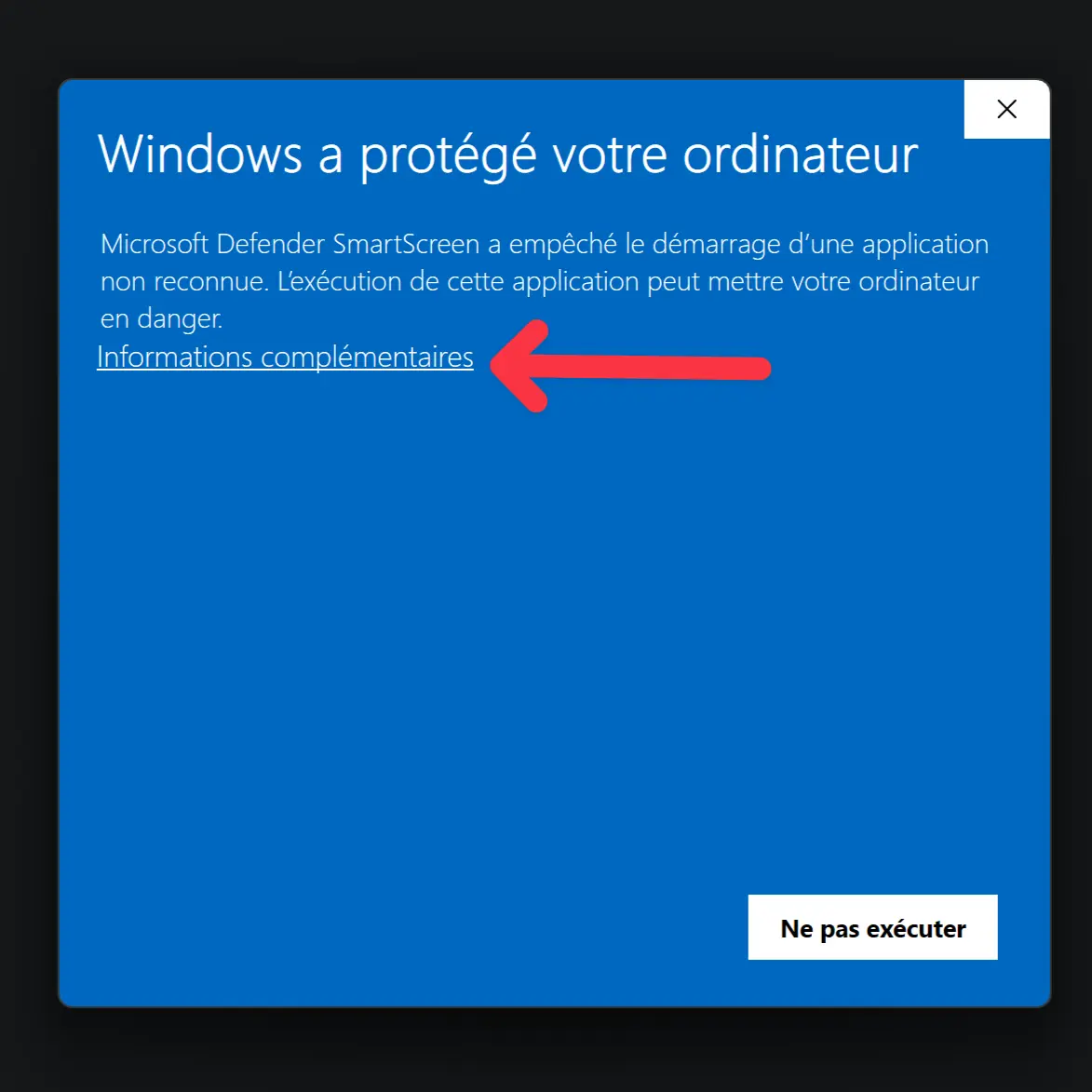
Run the installer. Windows SmartScreen may display a warning because Bristol is a new application that hasn’t yet built up a reputation with Microsoft.
- Click More info.
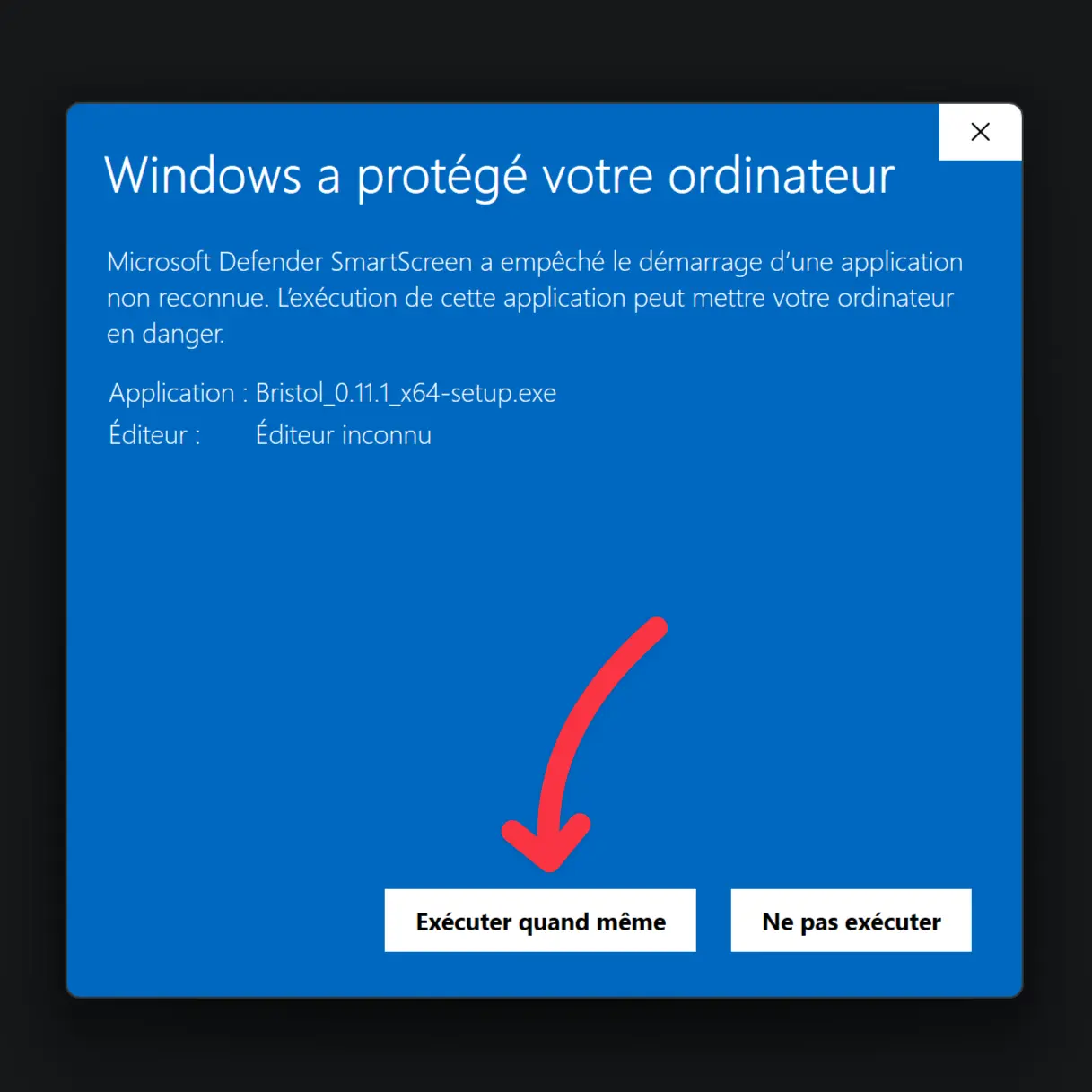
- Then click Run anyway.
-
Follow the installer prompts.
-
Bristol will be available from the Start menu once installed.